
Affiliate Disclosure: This review contains affiliate links. If you sign up through one of these links, Vyneta may earn a commission at no extra cost to you. This does not affect our editorial conclusions.
Traditional CRMs often promise more control.
Then salespeople end up spending more time updating fields, maintaining contact records, and navigating dashboards than actually following up with leads.
noCRM takes a deliberately different approach.
Rather than positioning itself as a massive customer database, it focuses on one job: helping salespeople move prospects from first contact to closed deal with as little administrative friction as possible.
For this noCRM review, we examined the current product, official documentation, pricing structure, integrations, independent user feedback, and the affiliate terms available through Reditus.
We did not run noCRM inside an active sales organization for several weeks, so this is not a long-term production test.
Instead, this review focuses on a practical question:
Does noCRM genuinely offer a simpler sales workflow, and who benefits most from that simplicity?
Table of Contents
noCRM Review: The Short Version
noCRM is a lead management and sales pipeline platform designed for salespeople who find traditional CRM systems unnecessarily heavy.
Its core workflow revolves around capturing leads, moving them through a visual pipeline, scheduling the next action, and keeping sales reps focused on follow-up rather than database maintenance.
The platform currently supports prospecting lists, customizable pipelines, reminders, email, mobile apps, WhatsApp, VoIP integrations, reporting, Zapier automations, and API access depending on the plan.
Its strongest advantage is simplicity.
G2 reviewers repeatedly praise noCRM for ease of use, straightforward setup, and keeping lead management focused. The most common criticisms are the opposite side of that trade-off: some users want deeper reporting, greater customization, or features available in more complex CRMs.
noCRM currently offers a 15-day free trial without requiring a credit card.
Best for: solopreneurs, SMBs, outbound sales teams, consultants, recruiters, agencies, and salespeople primarily concerned with moving leads through a pipeline.
Less suitable for: companies needing a broad customer-data platform, highly customized enterprise workflows, or advanced reporting and marketing automation in the same system.
What Is noCRM?
noCRM describes itself less as a traditional CRM and more as an action-focused lead management platform.
That distinction is more than marketing language.
Traditional CRM systems often begin with contacts, accounts, database fields, and extensive customer records.
noCRM begins with leads and the next action required to move them forward.
Its current feature set includes lead capture from multiple sources, prospecting lists, visual pipelines, follow-up reminders, duplicate detection, custom fields, sales activity tracking, mobile access, email synchronization, WhatsApp workflows, VoIP integrations, reporting, and automation.
The official noCRM features page emphasizes the same philosophy: reduce administrative work and keep sales activity visible and actionable.
That makes noCRM particularly interesting for small teams that have tried larger CRMs but never persuaded their salespeople to use them consistently.
Why noCRM Feels Different From a Traditional CRM
The core idea behind noCRM is straightforward:
A salesperson does not necessarily need another giant customer database.
They need to know:
Who should I contact?
What happened last time?
What should I do next?
Which deals are moving?
Which leads are being ignored?
noCRM organizes much of the experience around those questions.
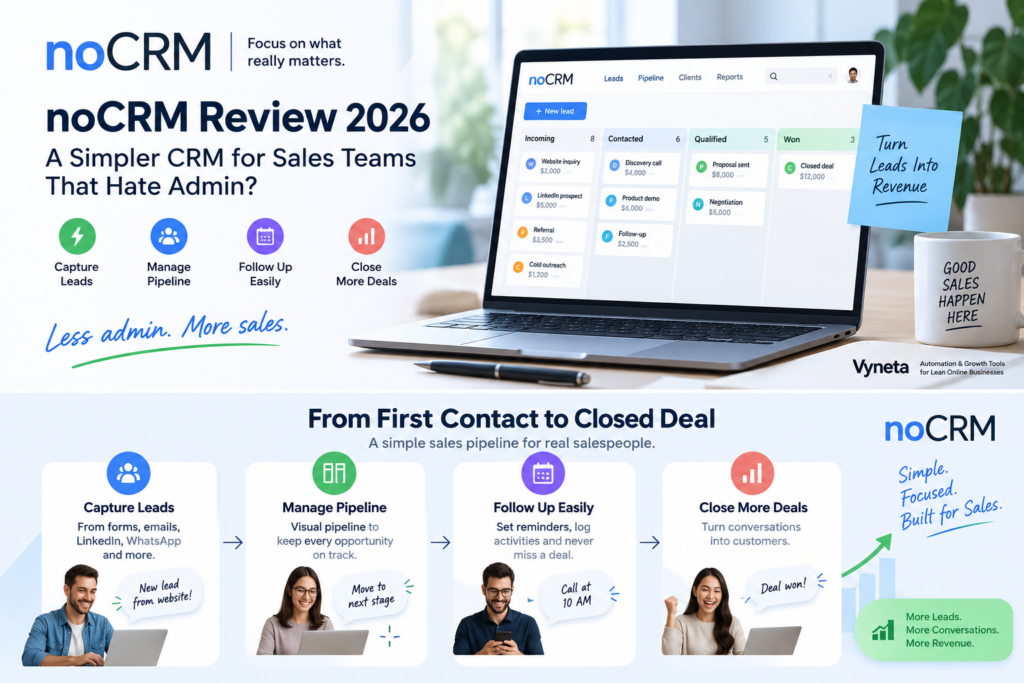
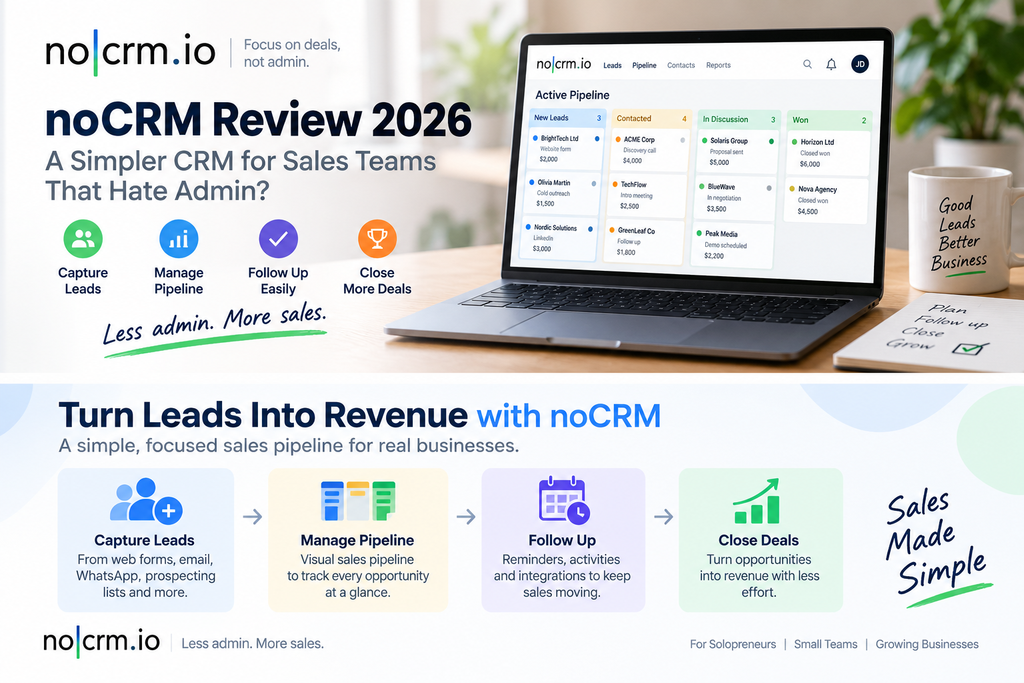
Its pipeline uses a visual Kanban-style workflow, and leads can be moved between sales stages as their status changes. Sales activities and reminders help keep the next action visible.
This sounds basic.
That is partly the point.
Many small businesses do not fail to follow up because their CRM lacks features.
They fail because their CRM contains too many steps that salespeople do not want to maintain.
Lead Capture Is One of noCRM’s Practical Strengths
noCRM provides several ways to create leads.
Salespeople can create them manually or generate them from emails, contact forms, business cards, prospecting lists, WhatsApp, and other connected sources.
That flexibility matters because lead-management tools become less useful when every opportunity has to be re-entered manually.
The platform also includes duplicate detection, categories, tags, filters, and prospecting lists for organizing early-stage opportunities.
For teams doing outbound sales, this separation between cold prospects and qualified leads can be particularly useful.
You do not necessarily want every name in a prospecting database cluttering the active sales pipeline.
The Visual Pipeline Keeps the Focus on Deals
Pipeline management is central to noCRM.
The platform lets users organize opportunities into customizable sales steps and move them visually as the deal progresses.
More importantly, it connects pipeline movement with follow-up actions.
A salesperson can record what happened and schedule what should happen next.
That sounds simple, but it addresses one of the most common sales-process failures: leads becoming inactive because nobody owns the next action.
For a small sales team, clarity here can matter more than having hundreds of CRM features that rarely get used.
Smart Follow-Ups Are More Important Than Another Dashboard
noCRM includes reminders and planned sales activities such as calls, meetings, and emails.
Its higher plans add more advanced workflows, calendar synchronization, automatic lead status changes, and additional automation capabilities.
This is one of the areas where the product’s positioning makes sense.
A CRM dashboard tells you what happened.
A good lead-management workflow should also tell you what needs to happen next.
For salespeople who struggle with follow-up consistency, that distinction may be more valuable than another layer of reporting.
Email, WhatsApp, and Calling Features
noCRM has expanded beyond a basic pipeline tool.
Its current feature set includes email workflows, WhatsApp functionality, mobile apps, and integrations with VoIP services such as CloudTalk, JustCall, and Aircall.
The Dream plan includes deeper email synchronization, WhatsApp and VoIP functionality, call tracking, recordings, and additional team-management capabilities.
This helps noCRM cover more of the actual daily workflow of a salesperson without trying to become a giant enterprise platform.
Still, buyers should check carefully which communication features belong to which plan.
Some of the more advanced capabilities are not available on the entry-level tier.
Integrations and Automation
The Expert tier currently includes API access and access to more than 3,000 automation possibilities through Zapier.
The higher tiers expand native integrations and workflow automation further.
For small businesses, this is important because a simple CRM does not have to operate in isolation.
If noCRM can pass information to invoicing, communications, calendars, forms, or automation systems, teams can keep the user interface simple without giving up every advanced workflow.
That said, if your business depends on sophisticated automation across many departments, platforms such as HubSpot or Salesforce occupy a different category entirely.
noCRM’s strength is keeping sales execution focused.
noCRM Pricing in 2026
noCRM currently offers three main plans:
| Plan | Positioning |
|---|---|
| Starter | Simple lead management for individuals and smaller teams |
| Expert | More pipelines, customization, integrations, reporting, quotes and invoices |
| Dream | Advanced communications, automation, team control and integrations |
The official noCRM pricing page says annual billing can save up to 40% compared with monthly billing. All plans are priced per user/seat.
The exact localized prices on noCRM’s current pricing page are dynamically rendered, so we would verify the amount shown in your country before purchasing rather than hard-code a number that may differ by currency or billing cycle.
Capterra currently lists noCRM as starting around $13 per user per month, but this should be treated as a third-party reference rather than the authoritative checkout price.
The more important decision is which feature tier you actually need.
Starter: Best for Simple Lead Management
Starter is designed for newer customers and smaller sales workflows.
It currently includes:
500 leads,
one pipeline,
quick lead capture,
notes and reminders,
and mobile access.
For a solo seller or very small operation, this may be enough.
The limit becomes obvious once you need multiple pipelines, deeper customization, or more advanced integrations.
Expert: Likely the Sweet Spot for Many Small Teams
Expert removes several Starter limitations.
The official pricing page currently lists:
unlimited leads and pipelines,
unlimited customization,
quotes and invoices,
advanced performance tracking,
API access,
and thousands of integrations through Zapier.
This is probably where noCRM begins competing seriously as a full day-to-day sales tool rather than simply a lightweight pipeline tracker.
For many SMB sales teams, Expert looks like the practical middle ground.
Dream: For Teams Needing More Control
Dream adds the deeper communication, management, and automation layer.
Current features include WhatsApp and VoIP integrations, two-way email synchronization, advanced team management, automations, reporting, permissions, and more advanced integration capabilities.
The question is whether your team still benefits from noCRM’s simplicity once you reach this level of complexity.
For some companies, yes.
For others, this is the point where comparing noCRM with larger CRM platforms becomes more important.
The Free Trial Is Low Risk
One of noCRM’s strongest evaluation advantages is its trial.
The current pricing page provides a 15-day free trial with no credit card required and access to all features.
Adding payment details can extend the trial to 30 days, according to the current official FAQ.
That is enough time to test a real pipeline with sample or non-critical leads before making a purchase decision.
For Vyneta’s workflow, no-card trials are particularly attractive because they let buyers validate the product rather than relying entirely on marketing screenshots.
What Real Users Say About noCRM
Independent reviews broadly support noCRM’s simplicity positioning.
G2 currently shows noCRM around 4.7/5 across more than 100 reviews. Its review summary repeatedly highlights ease of use, simple setup, lead management, and a clean interface.
The common negatives are equally useful.
G2 reviewers mention missing features, limited reporting, limited customization in some areas, and occasional mobile or calling issues.
Capterra currently shows a much larger review sample, with an overall rating around 4.6/5 across roughly 490 reviews. Its pricing analysis suggests most reviewers regard noCRM as good value, although some users find higher tiers or added users expensive.
Trustpilot is more mixed, with a lower overall score, although many older reviews strongly praise simplicity. The smaller number of recent reviews there means we would give G2 and Capterra more weight when evaluating current product sentiment.
The pattern is fairly consistent:
People who want a focused sales workflow often like noCRM precisely because it does less.
People who expect enterprise CRM depth may eventually notice what it does not do.
noCRM Pros and Cons
Pros
- Simple, sales-focused interface.
- Strong emphasis on leads and next actions.
- Visual pipeline management.
- Multiple lead-capture methods.
- Prospecting lists for outbound teams.
- Mobile apps.
- Email, WhatsApp, and VoIP options.
- API and 3,000+ Zapier automations on higher plans.
- 15-day free trial with no card required.
- Strong ratings on G2 and Capterra.
Cons
- Starter has meaningful limits.
- More advanced communication and automation features require higher plans.
- Reporting and customization may not satisfy advanced CRM users.
- Per-user pricing increases as teams grow.
- It is intentionally narrower than full customer-data platforms.
- Some external users report limitations around mobile, calling, or support experiences.
Who Is noCRM Best For?
noCRM makes the most sense for businesses where salespeople are expected to manage opportunities themselves.
Examples include:
solopreneurs,
small B2B sales teams,
consultants,
recruitment companies,
real-estate sales,
lead-generation agencies,
field sales,
telemarketing teams,
and service businesses.
These organizations usually need a clear pipeline more than they need an enterprise customer-data architecture.
noCRM’s own product positioning also focuses heavily on solopreneurs, SMBs, sales teams, and telesales operations.
If your current sales process lives partly in Excel, email, notebooks, and people’s memories, noCRM may represent a meaningful step forward without immediately introducing enterprise-level complexity.
Who Should Probably Skip noCRM?
noCRM is less compelling if your company needs one platform to coordinate marketing, customer support, sales, customer success, complex account hierarchies, and large-scale automation.
It may also be too lightweight for organizations with dedicated RevOps teams that require highly customized reporting and data models.
That does not make noCRM inferior.
It means the products solve different problems.
A lightweight sales tool can be better for a ten-person sales team than a more powerful CRM nobody updates.
But once your business genuinely needs enterprise CRM infrastructure, simplicity alone is no longer enough.
Is noCRM Really “Not a CRM”?
Technically, noCRM performs many functions people associate with CRM software.
It stores lead information.
It tracks opportunities.
It supports pipelines.
It records sales activity.
It provides reporting.
The difference is primarily philosophical and operational.
noCRM tries to minimize the database-management behavior associated with traditional CRM deployments and instead organize the system around active sales opportunities.
So we would not interpret “noCRM” literally as “this is not CRM software.”
A more useful interpretation is:
It is CRM functionality redesigned around leads and sales actions rather than customer-database administration.
That positioning is one of the reasons the product is easy to understand.
Positive noCRM Affiliate Program
Positive noCRM currently runs an affiliate program through Reditus.
The Positive noCRM affiliate program currently lists:
30% recurring commission,
12-month commission duration,
60-day cookie window,
$100 payout threshold,
automated Reditus payouts,
and no paid advertising on the brand name.
The program is free for affiliates and applications are reviewed by the company.
For Vyneta, that is a commercially attractive structure because a paying referral can generate commission for up to 12 months rather than producing only a one-time bounty.
Geo Targetly, Page Pulse, and noCRM also illustrate why we currently use Reditus as one of our main SaaS affiliate discovery channels.
If you want to see how the network works from the publisher side, read our Reditus Review.
The affiliate economics do not change our assessment of the product.
noCRM still needs to solve the reader’s sales problem before the commission matters.
The Biggest Strength of noCRM
The biggest strength is focus.
Many CRM vendors compete by adding more.
More dashboards.
More objects.
More automation.
More customization.
noCRM competes by asking whether salespeople actually need all of that to close a deal.
For small and mid-sized teams, that can be an effective differentiation.
The system appears designed around what a salesperson should do today—not around maintaining a perfect corporate database.
That can reduce friction dramatically.
The Biggest Limitation
The same focus creates noCRM’s biggest limitation.
There is a ceiling to simplicity.
As an organization grows, it may need deeper reporting, more complex automations, sophisticated customer records, advanced permissions, multi-department workflows, or extensive data modeling.
noCRM has expanded into many of these areas, particularly on the Dream tier.
But buyers should still ask whether they are choosing noCRM because they genuinely want a focused sales tool—or simply postponing the need for a broader CRM platform.
That decision depends more on workflow complexity than company size alone.
Is noCRM Worth It?
noCRM is worth considering if your current CRM feels like administrative work disguised as sales software.
Its strongest use case is not replacing every possible CRM.
It is replacing spreadsheets, inconsistent follow-ups, neglected pipelines, and overly complicated systems with a clearer sales process.
Independent reviews strongly support the platform’s usability advantage, while the recurring criticism around reporting and advanced functionality reinforces the same trade-off.
The 15-day no-card trial makes the decision relatively easy to test.
Create a real pipeline.
Add a handful of leads.
Schedule follow-ups.
Move opportunities through the process.
Then ask one question:
Did the system make the next sales action clearer, or did it simply create another place to enter data?
That test will tell you more than a feature checklist.
Final Verdict: A Focused Sales Tool for Teams That Value Simplicity
noCRM succeeds because its positioning is unusually clear.
It is designed for salespeople who want to manage opportunities and follow-ups without spending their day maintaining a traditional CRM.
The visual pipeline, lead capture options, reminders, prospecting lists, mobile access, and communication integrations cover most of the workflow smaller sales teams need.
Its limitations are equally clear.
Advanced reporting, customization, automation, and enterprise workflows are not the reason to choose noCRM.
Simplicity is.
For solopreneurs and small-to-medium sales teams that regularly abandon heavyweight CRM systems, noCRM deserves serious consideration.
And because the trial requires no credit card, testing that assumption costs very little beyond your time.